Jump to content
View in the app

A better way to browse. Learn more.

300ZX Owners Club

A full-screen app on your home screen with push notifications, badges and more.
To install this app on iOS and iPadOS
  1. Tap the Share icon in Safari
  2. Scroll the menu and tap Add to Home Screen.
  3. Tap Add in the top-right corner.
To install this app on Android
  1. Tap the 3-dot menu (⋮) in the top-right corner of the browser.
  2. Tap Add to Home screen or Install app.
  3. Confirm by tapping Install.

Hi guys,


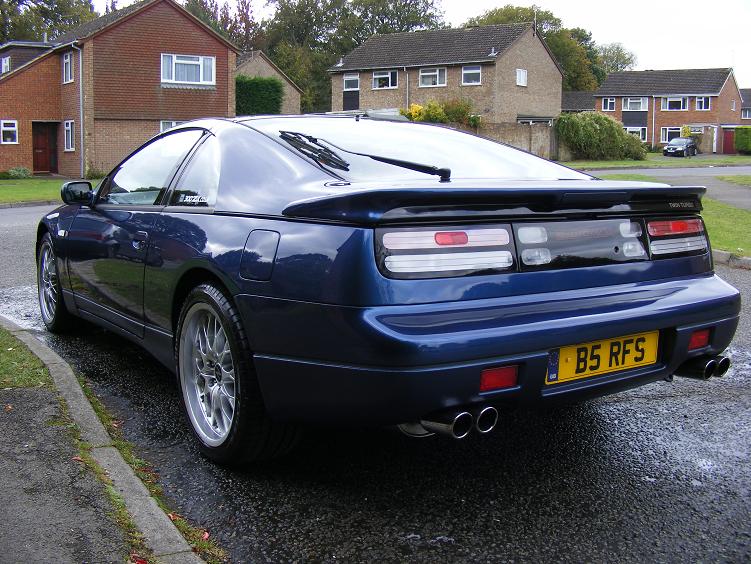
I have a Mongoose quad exit SS system on my red Zed which will be removed tomorrow before the car gets scrapped. The Zed I am buying has a Oval tip JWT system fitted.


Which one should I keep and which one should be sold?????


Cheers, Rob

  • Replies 43
  • Views 866
  • Created
  • Last Reply

Top Posters In This Topic

Posted Images

Featured Replies

if all 4 wheels are the same when you turn1 around to put on other side of the car the blades will be turning the wrong way. come on daz think about it


Yeh but as the wheel rotates the blades at the top are right again, both sides

Your both nuggets, winding me up,lol are you 2 on drugs, bumming each :clown: other?

there in his garage pics bean to perfect pics :lol:


There was a disscussion about this on the supra forum a while back :lol:

They are the same dickheads?? :cowboy:


attachment.php?attachmentid=58567&stc=1&d=1298592149

attachment.php?attachmentid=58568&stc=1&d=1298592294

Edited by daZvert

on one side the blades twist towards the front then on the other side they will twist to the rear noob :lol:

:stupid:They are both the same, the only difference is the blades face forward at the top on the pasenger side and face forward at the bottom on the drivers, no one would ever tell except you 2 mincers :lol::lol:


anyway all 4 arn`t the same, as I paid more for the wider dish rears :tt2::tt2:

:lol: that was a fun read!


Oh hello Baz!good morning, what do you reckon? :lol:

Join the conversation

You can post now and register later. If you have an account, sign in now to post with your account.

Guest
Unfortunately, your content contains terms that we do not allow. Please edit your content to remove the highlighted words below.
Reply to this topic...

Recently Browsing 0

  • No registered users viewing this page.

Important Information

Terms of Use

Configure browser push notifications

Chrome (Android)
  1. Tap the lock icon next to the address bar.
  2. Tap Permissions → Notifications.
  3. Adjust your preference.
Chrome (Desktop)
  1. Click the padlock icon in the address bar.
  2. Select Site settings.
  3. Find Notifications and adjust your preference.