Jump to content
View in the app

A better way to browse. Learn more.

300ZX Owners Club

A full-screen app on your home screen with push notifications, badges and more.

To install this app on iOS and iPadOS
  1. Tap the Share icon in Safari
  2. Scroll the menu and tap Add to Home Screen.
  3. Tap Add in the top-right corner.
To install this app on Android
  1. Tap the 3-dot menu (⋮) in the top-right corner of the browser.
  2. Tap Add to Home screen or Install app.
  3. Confirm by tapping Install.

Hi guys ive just got uk speedo for my car,now the prob i had with my last ones was that the speedo was about 20% out.pic of last clocks 13122008105.jpg
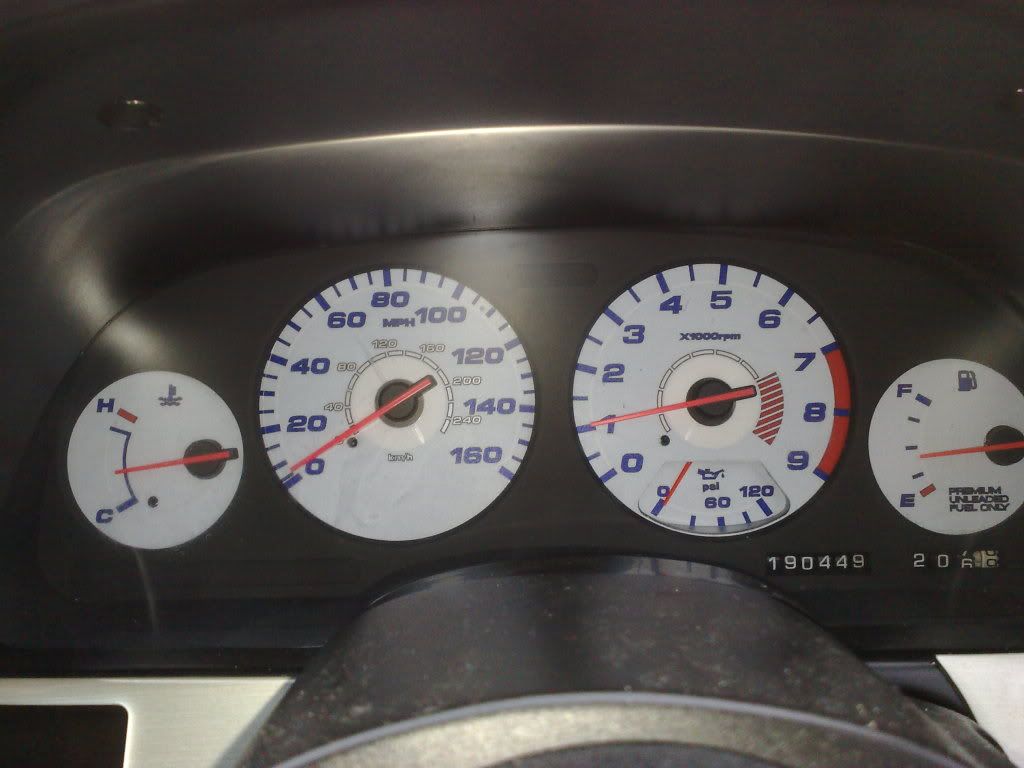
Now ive put the uk ones in the speedo is way to fast,does this mean that my car is running in kilom and not mph,if so how do you sort this,plus any pics of wot to sort.:confused::confused::bow:

  • Replies 30
  • Views 981
  • Created
  • Last Reply

Top Posters In This Topic

Featured Replies

try hooking up a sat nav and driving and compare the sat nav speed to the speed on your clocks and see if your actuall speedo is out, as long as you have the correct clocks in the car then it should be right, bit of a wierd one.


that what i did but used two of them at the same time to get a good reading. or you could find a long part of a road and get a freind to drive next to you telling how fast they are going and compare. i also did this with my son's Z as when he put large wheels on that also put the clocks out.

Groover can you sort this. Please.


Paul

Edited by 300_zedx
for got my manners sorry Graham.

  • 3 weeks later...

Join the conversation

You can post now and register later. If you have an account, sign in now to post with your account.

Guest
Unfortunately, your content contains terms that we do not allow. Please edit your content to remove the highlighted words below.
Reply to this topic...

Recently Browsing 0

  • No registered users viewing this page.

Important Information

Terms of Use

Configure browser push notifications

Chrome (Android)
  1. Tap the lock icon next to the address bar.
  2. Tap Permissions → Notifications.
  3. Adjust your preference.
Chrome (Desktop)
  1. Click the padlock icon in the address bar.
  2. Select Site settings.
  3. Find Notifications and adjust your preference.