


-
 I don't mind it but I feel it's not that responsive. Kick dowe seems quite delayed (I've had other 300s and they all seem thesame), the car is quite modified so I'd like to make the most of that power and lastly I just like have full control with a manual. However I wouldn't be heartbroken if I can't get it done.
 -
Thanks matey. I'm currently trying to work out how to upload an image. It's tricky as I'm not quite used to this forum just yet.
-
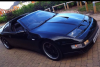
Evening all. Just joined up tonight as I purchased a beautiful zed about 2 weeks ago and want to share the fun! I'm also looking for some advice. I'm looking to do a manual conversion and have a reputable garage to carry out the work (Darren are D2 in Strood) but I need to source the complete kit, any ideas where I might find it? Many thanks in advance. Graeme.

View in the app
A better way to browse. Learn more.