-
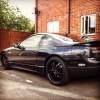
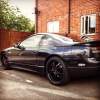
Hi, Funny to say this , but I am selling the car :((( At the end of July I'm moving to Spain for a new job , both my cars are advertised on auto trader :( I put the Nissan on auto trader on a higher price , I also wanted to advertise the car on the forum but from my account I don't have the selling option (don't know why) If one of the passionate guys from here would like to buy it I would give it for less money ( it will be nice to know that the car is in good hands) If your interested let me know .
-
http://i304.photobucket.com/albums/nn178/dorumiron25/IMG_0850_zpsclqlberi.jpg
-
http://s304.photobucket.com/user/dorumiron25/media/IMG_0850_zpsclqlberi.jpg.html?sort=3&o=0
-
Yes :) thanks for the car :) since I have it I didn't had any problems , I change the speakers and I sound proof all the body. This year I'm planning to repaint the hole car ,engine and some of the parts which are a bit rusty . Also I looking to get some sport suspensions because this ones have a small leak , if you know any please let me know.Hi Guys, My name is Doru and I live in Oxford , I got a 1990 300zx twin turbo for almost a year , not many modifications just the wheels and a very loud sound system. I was trying to upload some pictures on this post from my computer but I don't know how :)

View in the app
A better way to browse. Learn more.