Jump to content
View in the app

A better way to browse. Learn more.

300ZX Owners Club

A full-screen app on your home screen with push notifications, badges and more.

To install this app on iOS and iPadOS
  1. Tap the Share icon in Safari
  2. Scroll the menu and tap Add to Home Screen.
  3. Tap Add in the top-right corner.
To install this app on Android
  1. Tap the 3-dot menu (⋮) in the top-right corner of the browser.
  2. Tap Add to Home screen or Install app.
  3. Confirm by tapping Install.

Lou9890

Dormant Member
  • Joined

  • Last visited

  • Country

    United Kingdom

Everything posted by Lou9890

  1. thanks for the replies. is there anywhere online i can download a owners manual where it would show all the dash switches and what they all do and how they are controlled.
  2. got a few pics but not sure how to paste them on
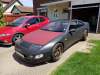
  3. Hello all Just wanted to introduce myself and say hello. Picked up my Cherry Red Nissan 300zx N/A this morning.Needs a few bits done to it but im pretty happy with it. Live in Hertfordshire and Nth London. Lou

Important Information

Terms of Use

Account

Navigation

Search

Configure browser push notifications

Chrome (Android)
  1. Tap the lock icon next to the address bar.
  2. Tap Permissions → Notifications.
  3. Adjust your preference.
Chrome (Desktop)
  1. Click the padlock icon in the address bar.
  2. Select Site settings.
  3. Find Notifications and adjust your preference.