


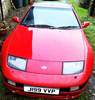
Everything posted by javsteris
-
Thanks....
-
well i pay an amazing £2,500 per year but thats for a trade policy and i still have a tt99 on my licence its a killer believe me...
-
arrrrr didnt think about that thanks.
-
i have put these on the car now and after looking at it i think it would be a lot more practicle to put a vented nose on but which one there is so many top vents,bottom vents,side vents what will be better please...(i hope the pic comes through)

-
Check this out dont know if allready here http://www.twinturbo.net/nissan/300zx/forums/general/view/2501687/Wanted-to-share-some-of-my-Z-stuff-collection.html
-
will it fit on a uk one and how much thanks inbox me please..
-
Thank you all for your help and advice very much appreciated and i will try them out as soon as my z,s on the road thanks again...
-
Hi everyone first of all what a great site you guys have all compiled here with lots of usefull info. i have just got a zx its a u.k model LWB and i also have a baby on the way but am having issues with baby seat and i really dont want to let her go and have assured the missus that the baby seats will fit. I have looked in the threads but cant seem to find anyone that says what the best baby seats are i have 5 weeks left to get the seat and make it fit in so please anyone that help me find the right seat and where to get it from also any pics that you guys have with one in so i can re-asure the missus that it does fit thanks all and keep up the great work on the site... JAV
