


-
hi mate yes it did looked as if it was standard
-
spotted silver lwb zed this evening on a private plate was at tesco roundabout in bletchley
-
what a shame it will spoil a nice car!
-
if i can get time off ill be there
-
well if its not a standard bumper then it will look pants
-
well thats life:xxx:
-
mines out and about everday it dont sleep only at night!
-
spotted you this morning on the h8 standing way in milton keynes was a silver lwb clean looking car
-
but what you are going to do to het is a chrime zeds look better without cheap body kits if nissan thought they would they would make a kit for them!:eek:
-
pure sacrolidge and just to add it would make a rare car look like a pile of pooh
-
they are genuine 99 spec rear lights had part no checked and they was imported from japan buy the seller in the us
-
they are not replica 99 spec rear lights they are from a us spec car make sure you look arfter her mate
-
hi mate can make wellinbrough tomorow but not with zed as she has a water leak but can still advise mate
-
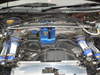
ive got rid of all the pipes that are not need all ive done ive done is to put the pipe from the egr valve to the throttle body connection
-
mine neither never fails cannot beat japanese build quilaty

View in the app
A better way to browse. Learn more.
