Jump to content
View in the app

A better way to browse. Learn more.

300ZX Owners Club

A full-screen app on your home screen with push notifications, badges and more.

To install this app on iOS and iPadOS
  1. Tap the Share icon in Safari
  2. Scroll the menu and tap Add to Home Screen.
  3. Tap Add in the top-right corner.
To install this app on Android
  1. Tap the 3-dot menu (⋮) in the top-right corner of the browser.
  2. Tap Add to Home screen or Install app.
  3. Confirm by tapping Install.

Fatbrain

Dormant Member
  • Joined

  • Last visited

  • Country

    United Kingdom

Everything posted by Fatbrain

  1. Cheers mate...good advice. What is your opinion on wheels - standard as now or bigger wider ones?
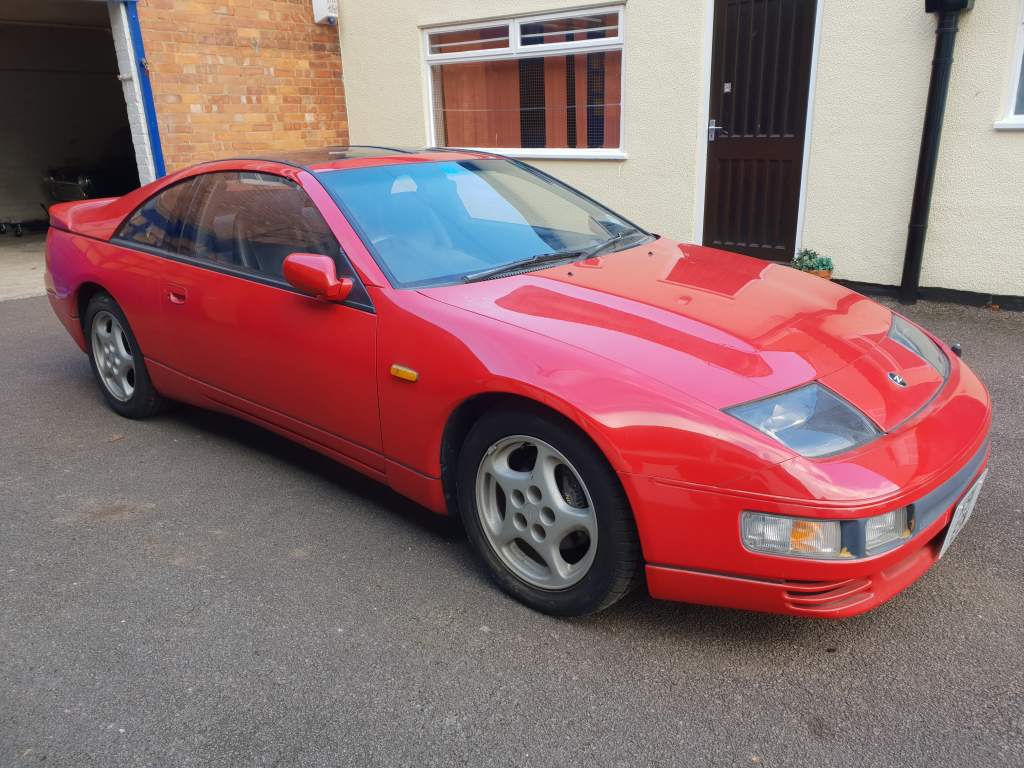
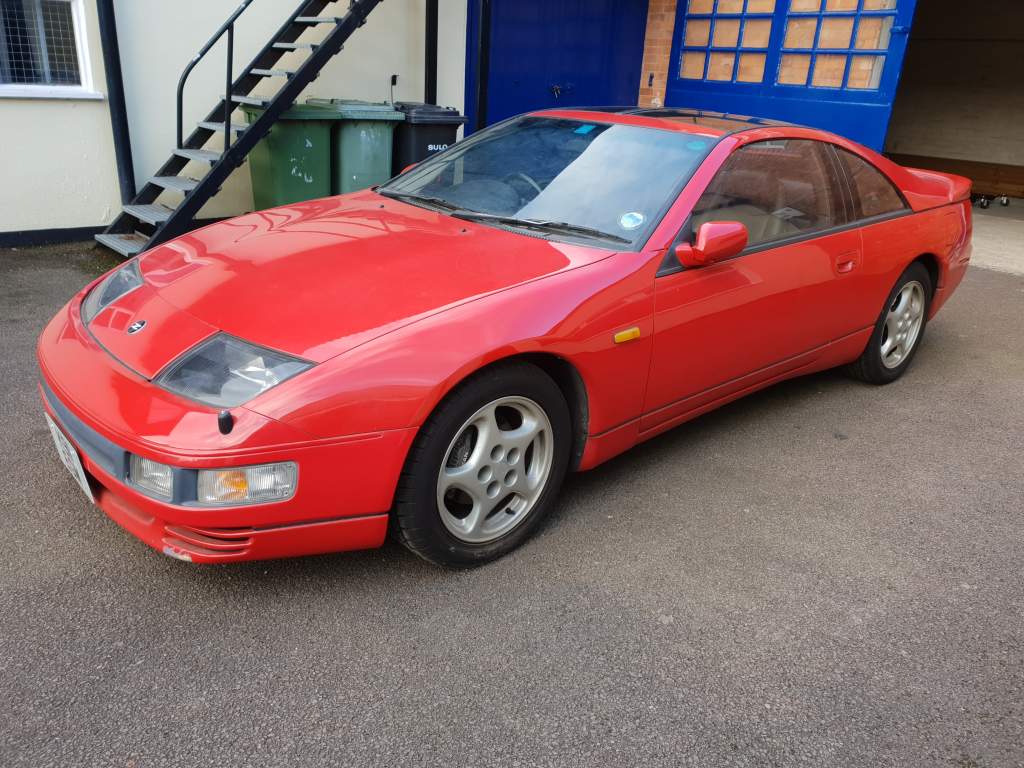
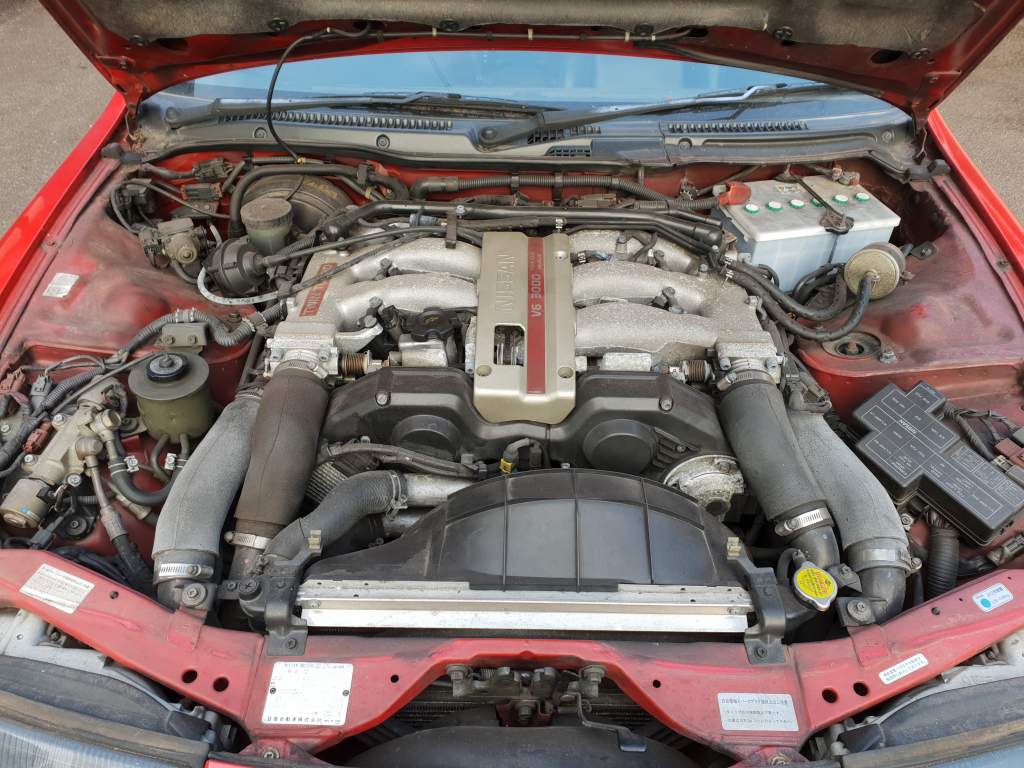
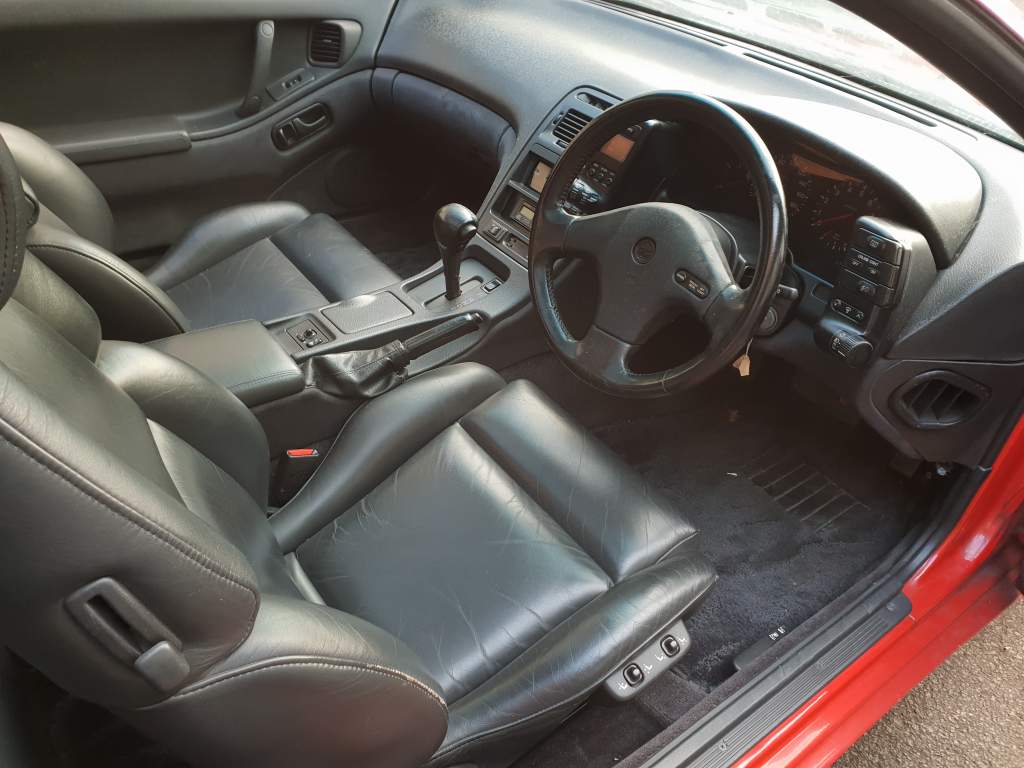
  2. Hi Apologies. It is a 1992 car imported into UK in 1999.
  3. Hi Joely Thank you for your very helpful advice. My post was written way past midnight and the brain cells had taken their leave I am afraid. It is a 1992 car imported in UK in 1999. Apologies. Happy to load pictures - how do I go about it?
  4. Hi I imported a 1986 300zx Twin turbo from Japan in 1990 and never drove it. It remained in dry storage until recently. I have been advised that I should not just start and go, although the car ran perfectly in 1990. I need to recommission it. Questions: 1. What would need renewing/replacing considering that the car has stood still for 19 years. 2. Who would be the best person to do it 3. What sort of expense am I looking at? 4. What would be the value today as is, and is it easy to sell? Many thanks

Important Information

Terms of Use

Configure browser push notifications

Chrome (Android)
  1. Tap the lock icon next to the address bar.
  2. Tap Permissions → Notifications.
  3. Adjust your preference.
Chrome (Desktop)
  1. Click the padlock icon in the address bar.
  2. Select Site settings.
  3. Find Notifications and adjust your preference.