Hello, I am a brand new user here and have just purchased a Zed and need a little guidance please.
I have searched the forum but as I am a total nightmare with anything mechanical nothing makes a great deal of sense.
I got the car at a great price, followed the buying guide and everything came up to scratch, however at idle the right (drivers side) exhaust 'splutters'. The idle itself is very smooth and performance wise it is superb, the left hand exhaust is smooth as silk.
Once the car has been running the 'splutter' tends to disappear for a while but if left to idle, after a few minutes it will start again.
One of my mates reckons it may be running on 5 cylinders so I was hoping somebody could give me an idiots guide to checking whether or not this is the case. Is there an easy way of checking it out? If it is a cylinder down, there is a lot of chat about PTUs etc and again if somebody could break it down to monkey boy level it would be appreciated.


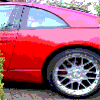


Hello, I am a brand new user here and have just purchased a Zed and need a little guidance please.
I have searched the forum but as I am a total nightmare with anything mechanical nothing makes a great deal of sense.
I got the car at a great price, followed the buying guide and everything came up to scratch, however at idle the right (drivers side) exhaust 'splutters'. The idle itself is very smooth and performance wise it is superb, the left hand exhaust is smooth as silk.
Once the car has been running the 'splutter' tends to disappear for a while but if left to idle, after a few minutes it will start again.
One of my mates reckons it may be running on 5 cylinders so I was hoping somebody could give me an idiots guide to checking whether or not this is the case. Is there an easy way of checking it out? If it is a cylinder down, there is a lot of chat about PTUs etc and again if somebody could break it down to monkey boy level it would be appreciated.
Cheers :)