Skip to content
View in the app

A better way to browse. Learn more.

300ZX Owners Club

A full-screen app on your home screen with push notifications, badges and more.

To install this app on iOS and iPadOS
  1. Tap the Share icon in Safari
  2. Scroll the menu and tap Add to Home Screen.
  3. Tap Add in the top-right corner.
To install this app on Android
  1. Tap the 3-dot menu (⋮) in the top-right corner of the browser.
  2. Tap Add to Home screen or Install app.
  3. Confirm by tapping Install.

Seats

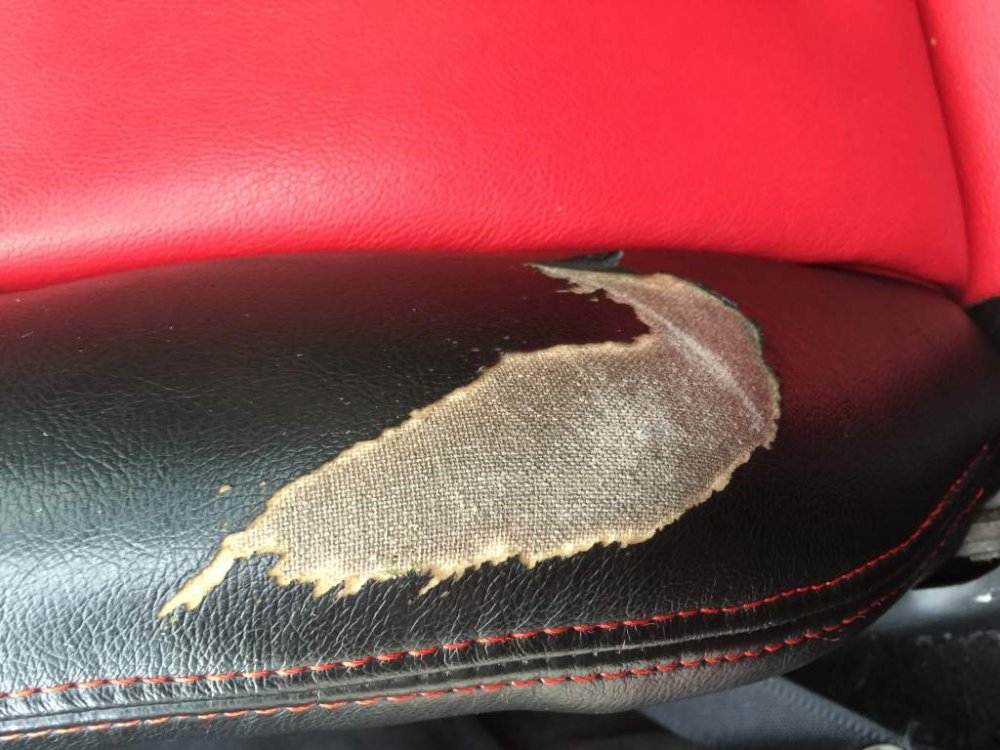
Front seats that have been recovered black and red. Small patch of wear on the drivers bolster. Drivers seat is electric which works, they come with the rails.image.jpg


I can also throw in the rear seat but the leather is patchy on that one, it's good for recovering though.

image.jpg

image.jpg

Edited by pig

Featured Replies

  • Author

£85

  • 1 month later...
  • Author

Yes they did mate,I forgot to say they had.


Sold

Recently Browsing 0

  • No registered users viewing this page.

Account

Navigation

Search

Search

Configure browser push notifications

Chrome (Android)
  1. Tap the lock icon next to the address bar.
  2. Tap Permissions → Notifications.
  3. Adjust your preference.
Chrome (Desktop)
  1. Click the padlock icon in the address bar.
  2. Select Site settings.
  3. Find Notifications and adjust your preference.