Jump to content
View in the app

A better way to browse. Learn more.

300ZX Owners Club

A full-screen app on your home screen with push notifications, badges and more.

To install this app on iOS and iPadOS
  1. Tap the Share icon in Safari
  2. Scroll the menu and tap Add to Home Screen.
  3. Tap Add in the top-right corner.
To install this app on Android
  1. Tap the 3-dot menu (⋮) in the top-right corner of the browser.
  2. Tap Add to Home screen or Install app.
  3. Confirm by tapping Install.

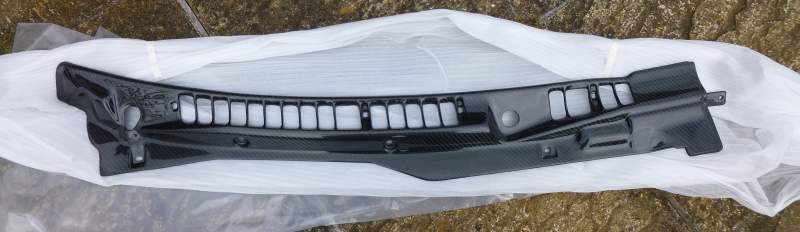
Set of carbon fibre scuttle panels bought in the SFS group buy from a couple of years ago.


Brand new, never been fitted and only taken out of box for pictures.


£160 Plus postage.P1000329.jpg


Paypal (gift/buyer to pay fees) or bank transfer.P1000332.jpg


Please be aware that I work away for two weeks at a time, so there may be a delay before sending out items.


P1000330.jpg

P1000331.jpg

P1000365.jpg

Featured Replies

  • Author

I'll get a courier quote and get back to you :yes:

  • Author

Delivery £8.88 - Insured up to £250 compensation, signed for delivery with MyHermes

Guest
This topic is now closed to further replies.

Recently Browsing 0

  • No registered users viewing this page.

Important Information

Terms of Use

Configure browser push notifications

Chrome (Android)
  1. Tap the lock icon next to the address bar.
  2. Tap Permissions → Notifications.
  3. Adjust your preference.
Chrome (Desktop)
  1. Click the padlock icon in the address bar.
  2. Select Site settings.
  3. Find Notifications and adjust your preference.